
Huawei’s post-Android operating system, HarmonyOS, has reached its third major release. The original was unveiled in mid-2019, then version 2 came and went to reach 90 million users in September last year. It now powers over 300 million devices with over 170 million additional devices using the HarmonyOS Connect platform (a way for third-party companies to create compatible devices). And now version 3 is coming.
HarmonyOS 3.0 has already debuted with the reveal of the Huawei MatePad Pro 11, which is expected to hit international markets soon. The new operating system has a new look, improved widgets and multitasking too.
First, let’s look at the format of the Universal Card widget. They are easily adaptable with multiple shapes, sizes and styles. This allows them to be grouped together when it makes sense, the widget will automatically adjust its size to accommodate. And when there are too many, you can stack them on top of each other and easily switch between them.
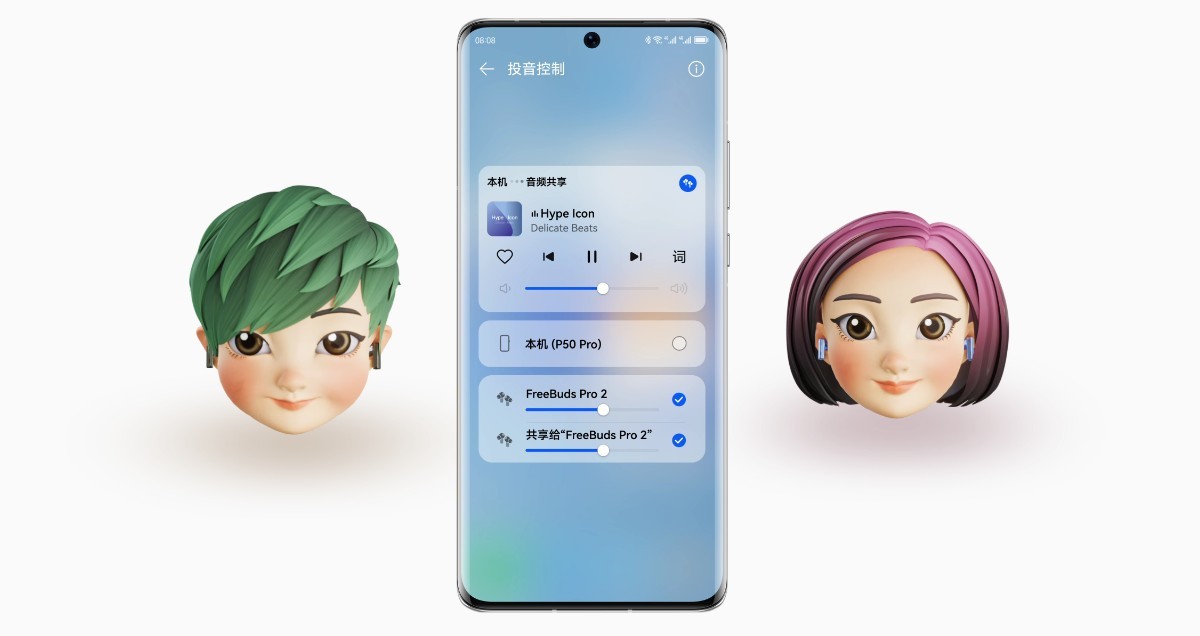
The new OS also has the ability to pair with two pairs of certain headphones (eg the FreeBuds Pro 2). This allows you to listen to music with a friend. Connectivity is an important part of the system, but before we get to that, let’s take a look at the new privacy features.
The new version of the operating system keeps a log of how often each app accesses your location, camera, microphone, files, or contacts. It will show you a graph so you can decide to remove the permissions manually, but the system can also do it automatically. It will also keep tabs on malicious app behavior, suspicious network activity, and other threats. Untrusted apps can be given fake permissions, which will allow them to open, for example, a seemingly empty image gallery or an SMS inbox with nothing in it.
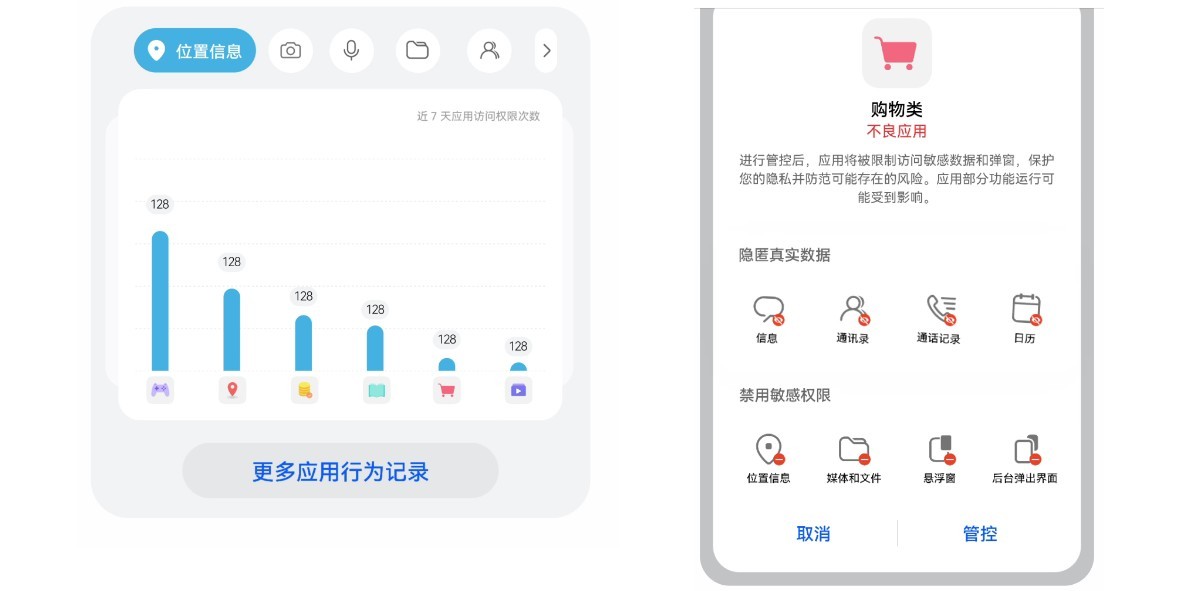
Check which apps accessed your location • Give apps fake permissions
The system also has simple tools to remove potentially sensitive data when sharing photos – embedded time and location, for example. It can also browse screenshots and scramble phone numbers, addresses, etc.
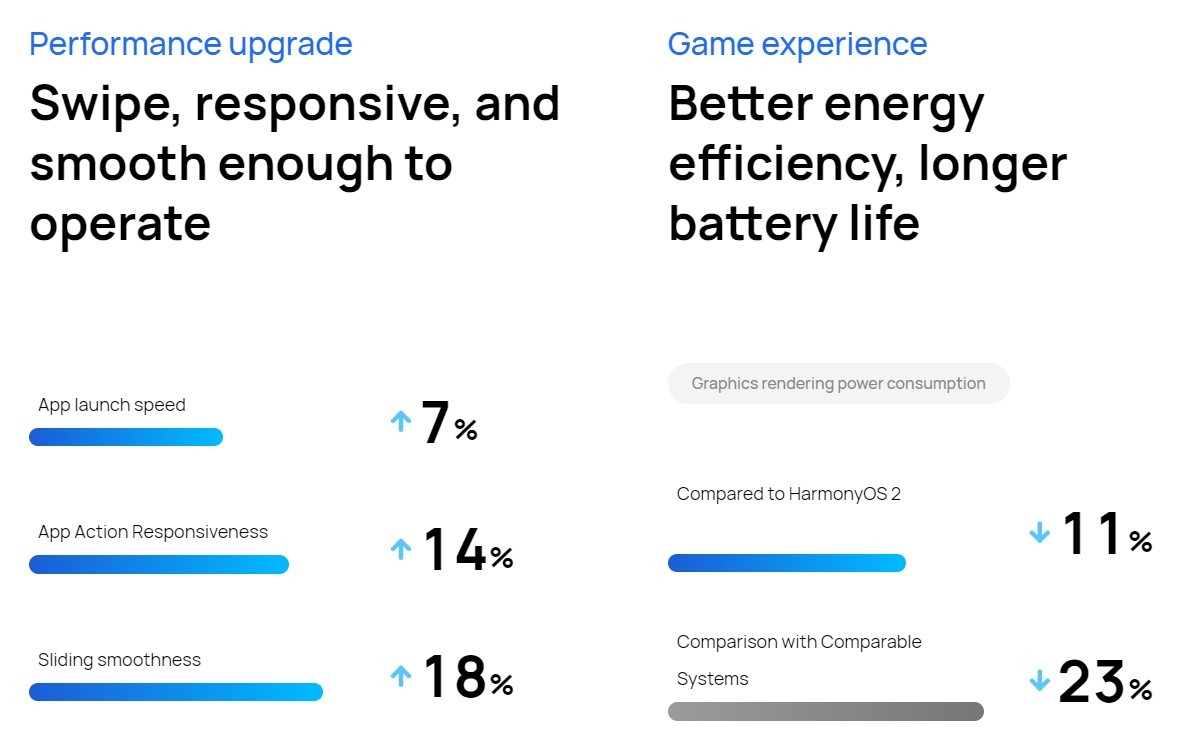
Huawei also worked on optimizations. HarmonyOS 3.0 improves app launch time and responsiveness and reduces power consumption while gaming (compared to HarmonyOS 2.0).
HarmonyOS 3.0 develops the central idea of the system – the creation of “super devices”, which are the combination of two or more smart devices working in unison. The user interface is quite simple, you get a view of connected devices as bubbles and you just drag one bubble over another to join them into a super device.
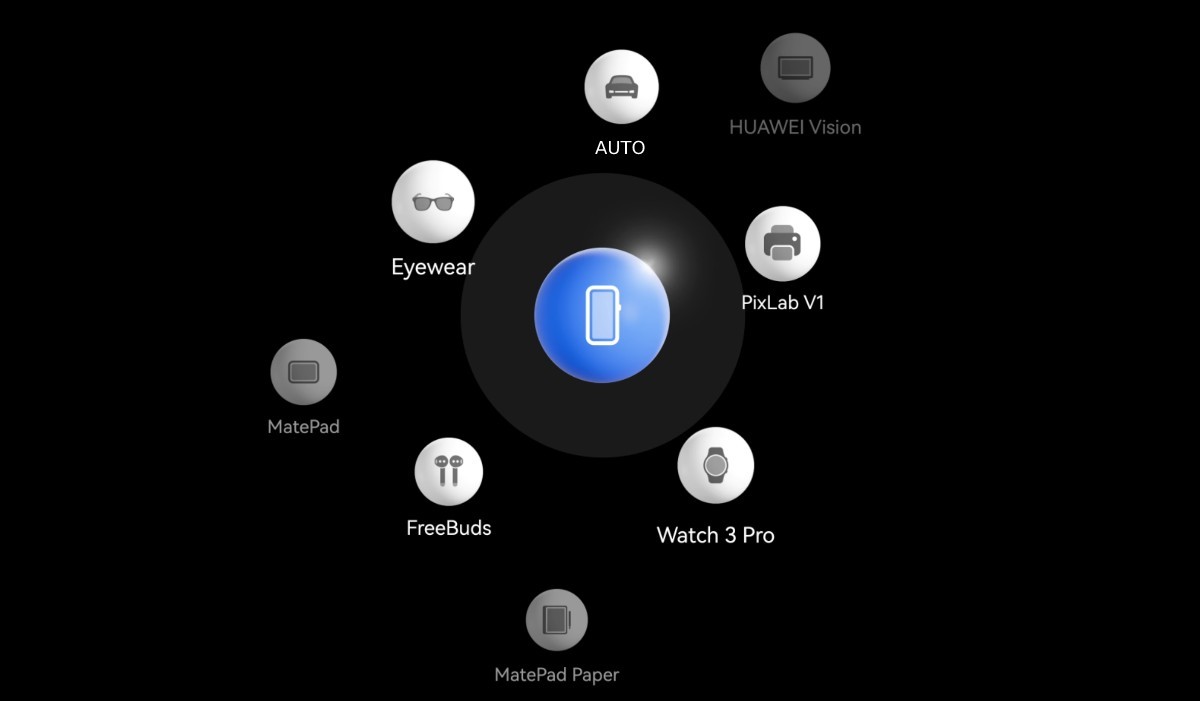
Creating a super device is as easy as drag and drop
Here’s a simple example: you’re editing a video on your Huawei MateBook, but you want to use a bigger screen. If you have, say, a MateStation X, you can simply drag the monitor icon onto the laptop icon and you’ll instantly enable wireless screen sharing.
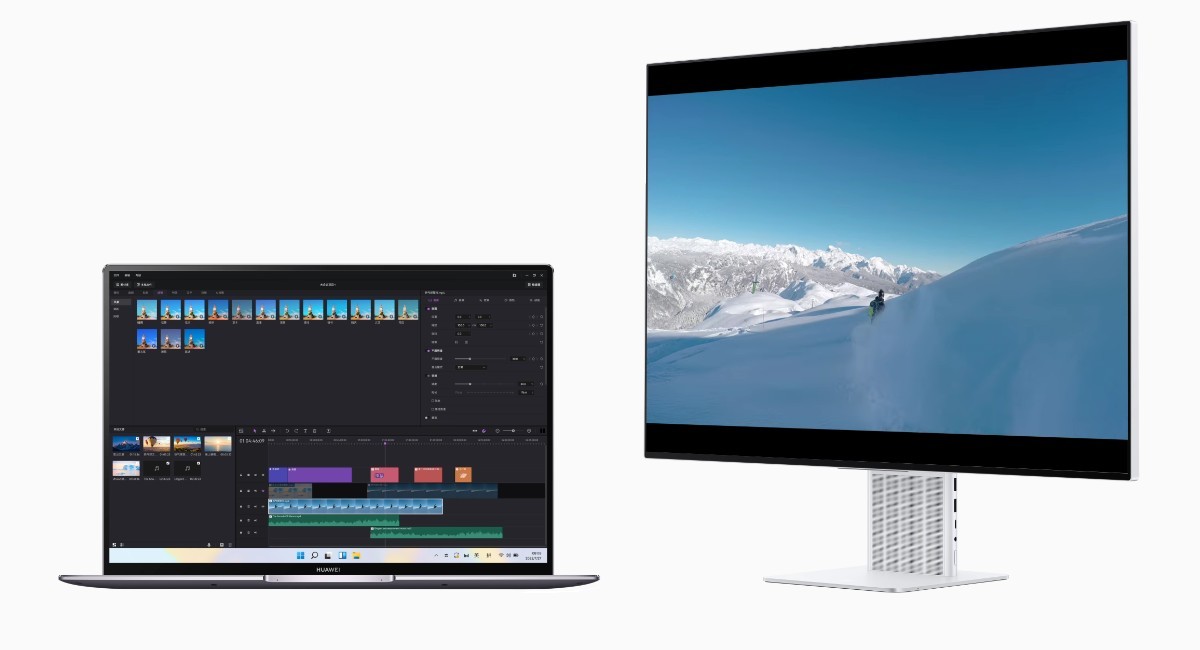
Easy screen molding
HarmonyOS devices don’t need to be on a shared Wi-Fi network for the super device magic to work. They will feel each other, for example a Huawei tablet next to a Huawei phone will allow you to answer calls and display SMS messages as if they were the same device. You can also do the trick above and play games and videos from your phone on the big screen of the tablet.
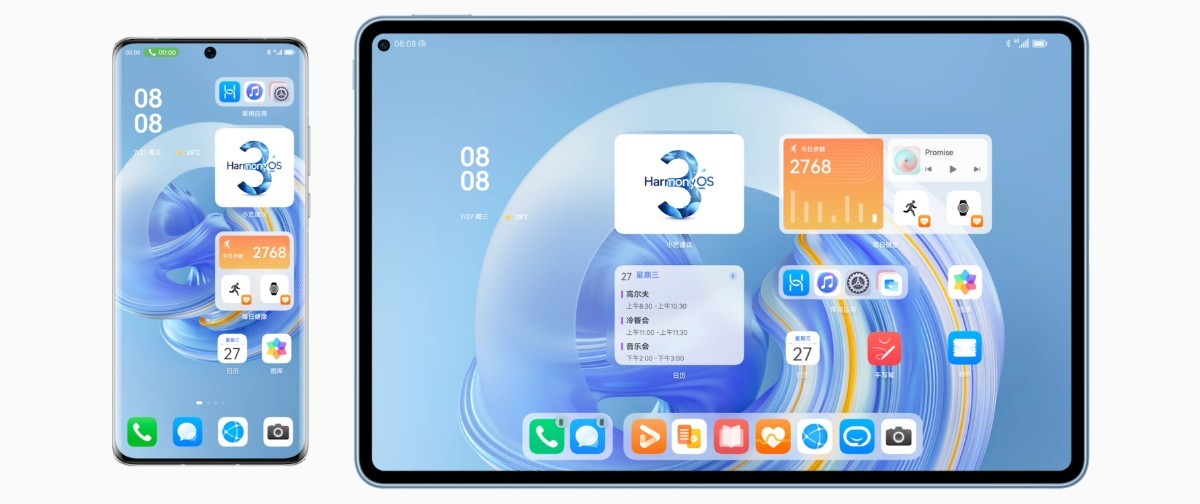
A HarmonyOS phone can connect to a tablet, giving it access to 4G, calls and messages
This seamless media interconnectivity also extends to HarmonyOS smart TVs. For example, you can take two smart speakers (eg Huawei Sound X) and use them as stereo speakers for the TV. Or if you need to keep it low, you can use a pair of TWS headphones instead, all connected with the simple drag-and-drop interface.
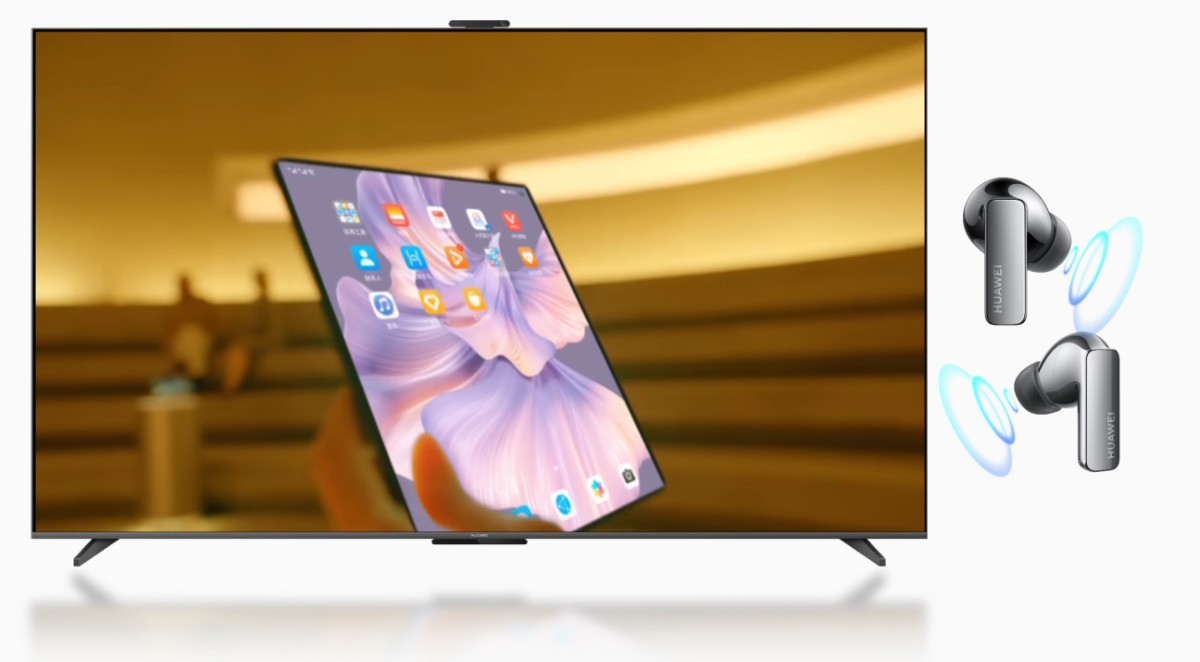
Listen to your TV through a pair of connected smart speakers or using TWS headphones
The ecosystem extends beyond Huawei’s products. You can have a compatible treadmill and pair it with a Huawei watch to track your exercise and also listen to music if you add headphones to the super device.
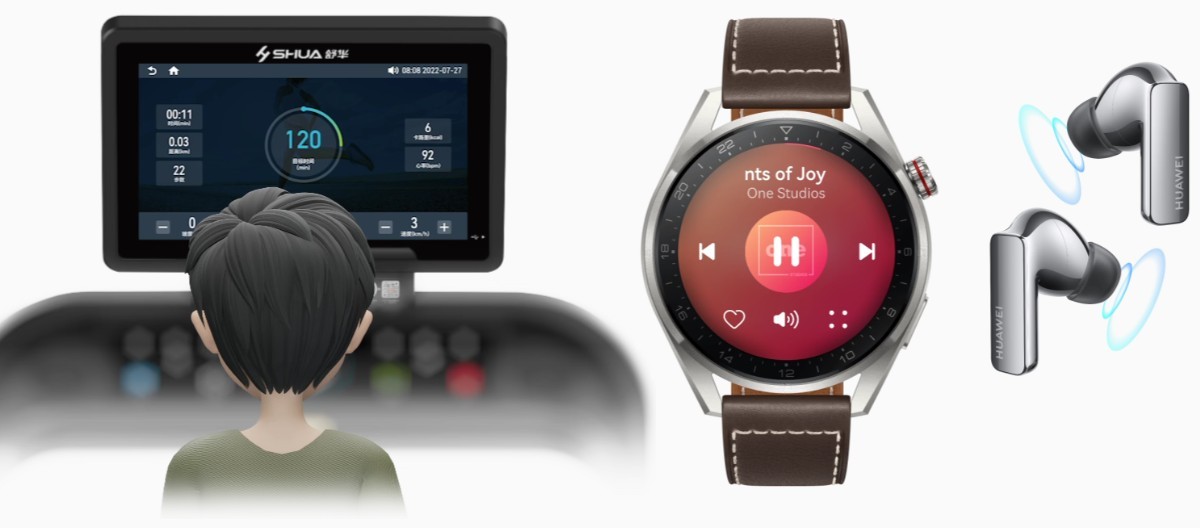
HarmonyOS Connect also allows third-party companies to manufacture devices
HarmonyOS is now also in cars (check out our review), this lets you stream smartphone apps to the car’s dashboard, similar to Android Auto. This all extends to smart home gadgets as well.

HarmonyOS now offers an alternative to Android Auto
Huawei plans to roll out a massive update to existing devices to HarmonyOS 3.0 in September. The list of supported devices has not yet been announced.
Source (in Chinese) | Going through